CRMContact record

Calgary, Alberta
Remote across Canada and the U.S.
Workflow automation & integrations
Keep the tools.
Fix the work between them.
Your CRM, email, spreadsheets, project tools and accounting system may all work. The friction often lives between them. We map the handoffs, connect the systems and automate the repeatable work — adding AI only where interpretation is actually useful.
- Keep your existing tools
- Practical, phased approach
- Measurable results
EmailCommunication
SpreadsheetShared data
Project ToolDelivery
AccountingFinance
L↗HANDOFFS
TriggerValidateUpdateRouteExceptionHuman
The problem
is often
between the tools.
Same systems.
Less manual work.
Market reality
Most businesses already have software.
Integration is the harder part.
The gap is no longer simply access to technology. The challenge is turning tools, data and processes into one reliable operating system.
of Canadian SMEs use at least one digital technology.
BDC, 2026have high or very high digital maturity.
BDC, 2026of Canadian SMEs use generative AI in BDC’s 2026 research.
BDC, 2026
The symptoms
Your tools may be working.
Your workflow may not be.
Copy-paste everywhere
The same information is moved manually between systems.
The next step depends on memory
Someone has to remember to follow up, update or notify.
The same data exists in three places
Teams disagree because each tool has a different version.
Approvals live in email
Important decisions disappear inside threads.
Reports are rebuilt manually
People export, clean and merge the same data every week.
The owner is the integration layer
People ask one person where everything stands.
Before / after
Five good systems can still create one bad workflow.
LeadEvent
A new event starts one traceable flow instead of another manual copy.
The right tool for each job
Not every problem needs AI.
Automation
Moves data and executes repeatable steps.
- synchronize records
- create tasks or projects
- route approvals
- send reminders
- update statuses
- refresh reports
AI
Interprets information and handles variation.
- classify inbound requests
- extract data from documents
- summarize long threads
- draft responses
- identify anomalies
- search knowledge with sources
Your Team
Owns accountable decisions.
- pricing
- negotiation
- approval
- financial sign-off
- customer commitments
- policy exceptions
Automate the work.
Keep the judgment.
Build a sample workflow
Show us the tools.
See where the handoffs live.
Select the systems you use. The sample flow updates to preserve your current stack context.
Your tools.
Connected.
Selected stackHubSpot · Gmail · Monday.com · SharePoint · QuickBooks
- 1New lead in CRMManual handoff
- 2QualificationAI candidate
- 3Owner assignedAutomation candidate
- 4Project createdAutomation candidate
- 5Folder createdAutomation candidate
- 6Accounting record preparedHuman approval
- 7Management view updatedAutomation candidate
Example workflow — actual integration depends on your systems, permissions and process.
Use this workflow in my assessmentHandoff cost calculator
Put a number on the work
nobody planned to do.
Estimate the labour value tied up in repeated data movement, follow-up and handoffs between systems.
See assumptions
Annual manual hours = people × handoffs/day × (minutes ÷ 60) × workdays/year.
Annual handoff cost = annual manual hours × loaded labour cost/hour.
Capacity value = annual handoff cost × recoverable share.
Hours redirected = annual manual hours × recoverable share.
Payback months = investment ÷ (capacity value ÷ 12), shown only for a valid investment.
Recoverable share estimates what portion may be redirected after implementation. Included: entered loaded labour value. Not included: software, training, maintenance, taxes, revenue gains or implementation disruption. Capacity value is not automatically a cash saving.
Common starting points
Start where the friction is visible.
- Current friction
- Inbox / manual qualification / follow-up memory
- Controlled flow
- Routing / owner / response / CRM update
- AutomationRoute and update records
- Optional AIClassify the request
- Human decisionApprove qualification
- Current friction
- Manual project setup and folder creation
- Controlled flow
- Award triggers structured setup
- AutomationCreate project and folders
- Optional AIExtract scope details
- Human decisionConfirm award
- Current friction
- Messages / photos / manual re-entry
- Controlled flow
- Structured update / routing / exception
- AutomationSynchronize the update
- Optional AIInterpret notes or images
- Human decisionResolve exceptions
- Current friction
- Email approval / finance waits
- Controlled flow
- Owned approval / status / accounting update
- AutomationRoute and synchronize
- Optional AISummarize supporting context
- Human decisionFinancial sign-off
- Current friction
- Exports / merges / spreadsheet rebuild
- Controlled flow
- Validated sources / exception layer / report refresh
- AutomationRefresh source-linked reporting
- Optional AIIdentify anomalies
- Human decisionAct on the report
- Current friction
- Forms / documents / manual setup
- Controlled flow
- Validation / account setup / task creation / notification
- AutomationSet up records and tasks
- Optional AIExtract document data
- Human decisionApprove exceptions
External industry evidence
What published automation cases already show
Published examples from technology providers and their customers. These are not LaunchSoloAI client outcomes and should not be treated as guaranteed results for another business.
Manual-process capacity
50,000+ hoursof capacity freed
5× reduction in automation costsCoreLogic / Microsoft Power AutomateInternal workflow automation
26 hourssaved per month
>99% workflow success rate in the cited periodTUP / n8nIntegration delivery
99% reductionin integration build time
Hundreds of hours saved annuallyBrightspot / ZapierSmall-business operating capacity
2,285 hoursautomated per year
Gold Rush Vinyl / ZapierOur engineering evidence
The workflow may be simple.
The system behind it still needs engineering discipline.
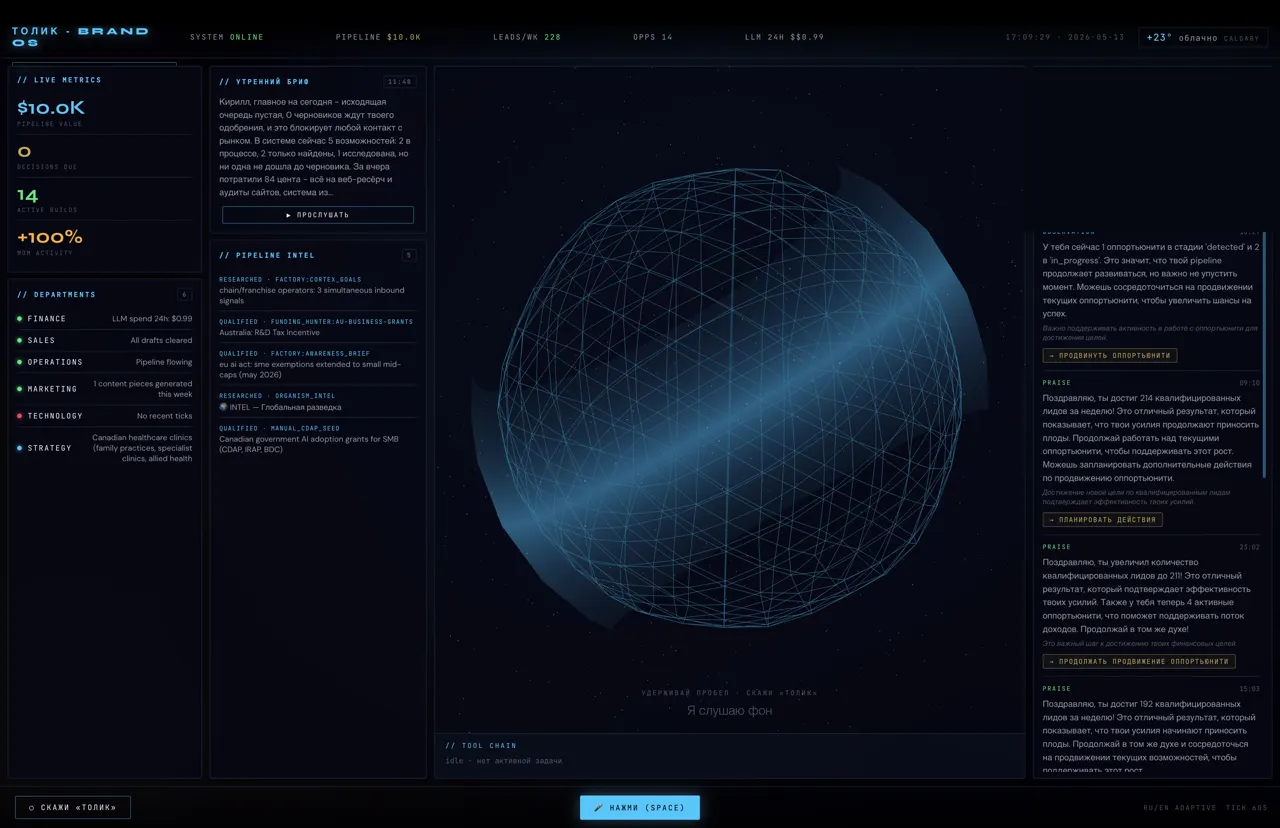
REFERENCE ARCHITECTURE
Multi-location Configuration Architecture
Operational changes can be designed with safety, traceability and recovery.
Validation · atomic update · rollback · auditInspect the evidence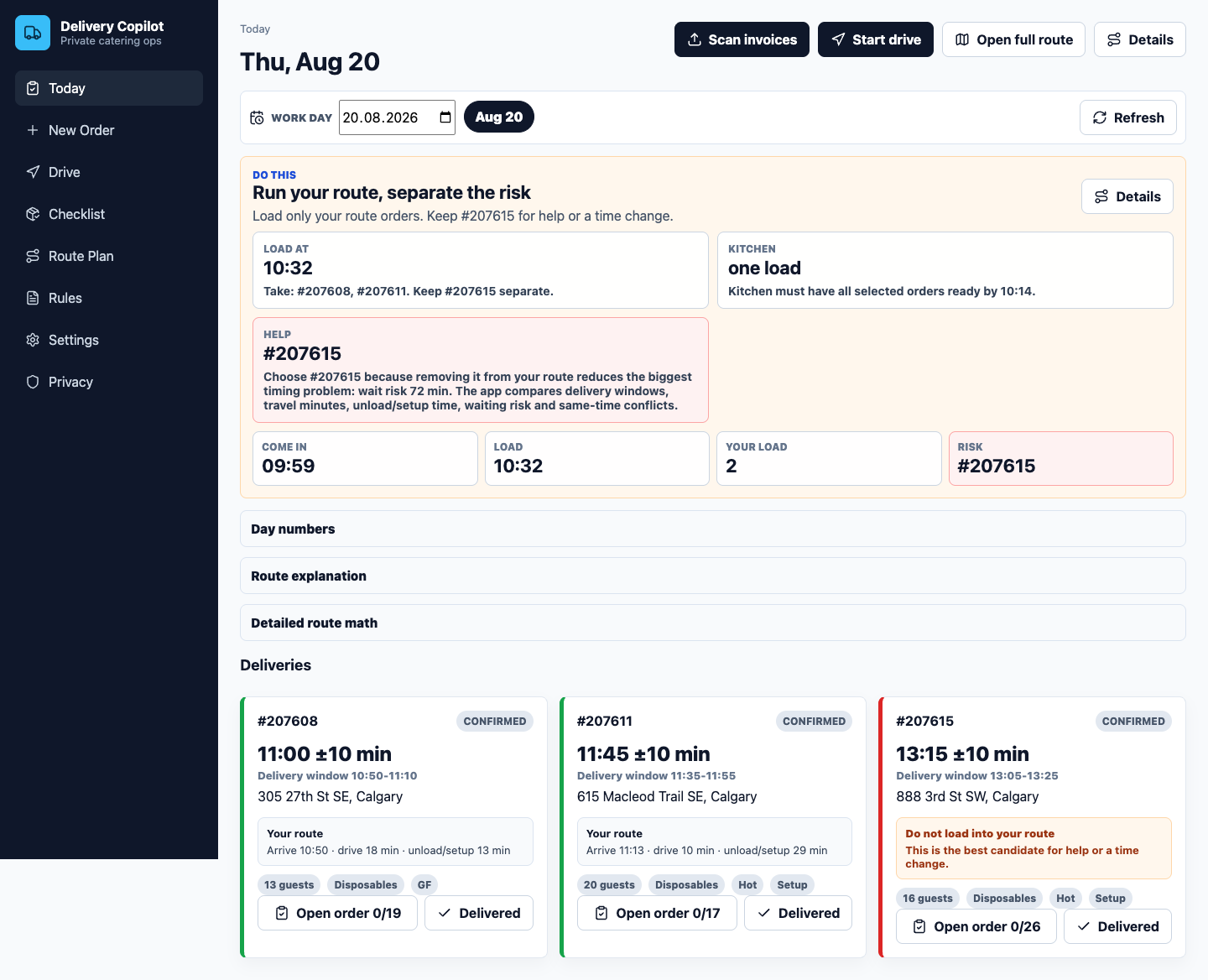
PROTOTYPE
Delivery / Operations Copilot
Documents, operational checks and handoffs can be combined into one controlled workflow.
Document intake · checks · exceptions · handoffInspect the evidenceHow we implement
Connect one workflow.
Prove the value. Then expand.
- 1
Map
Document the current people, tools, handoffs and ownership.
- 2
Baseline
Measure time, manual touches, delays and exception volume.
- 3
Connect
Build the smallest useful integration or automation.
- 4
Validate
Test reliability, edge cases, permissions and before/after metrics.
- 5
Expand
Scale only the workflow patterns that actually work.
We do not start by replacing every tool. We start with the handoff creating the clearest business cost.

Let’s build a more efficient business
Start with the handoff
that costs you the most.
We’ll map where information slows down, establish the baseline and identify the smallest connection worth testing first.
- No obligation
- Practical recommendations
- Built for your tools
Connect the work.
Keep what already works.